
Home
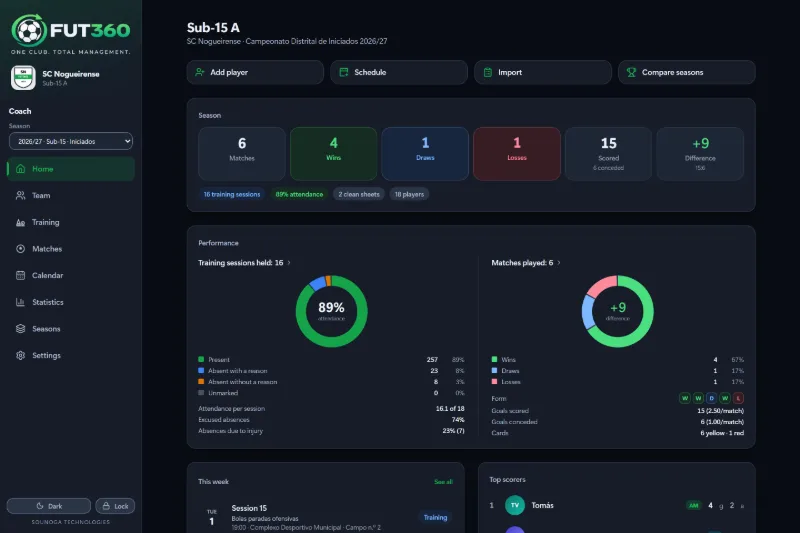
The season at a glance: results, attendance, team form, the week ahead and the current microcycle.
Our platform · Your whole club, from training to the final whistle
Fut360 is the football club and team management platform developed and operated by Mentoportuna. Squad, training, call-ups, live match logging, tactics board, statistics, recordings and family portal, in one app built for the iPad on the touchline. It works offline and syncs on its own when the connection comes back.
What it is
Fut360 was born from the way professional clubs work and was simplified for those who run a club, an academy or a youth team with little time, little budget and, quite often, no signal at all. In a single system, the coordinator organises teams, staff, players and guardians; the coach plans the week from the club's drill library, makes the call-up on the phone, logs the match minute by minute with a tactics board and a minutes plan, and follows the season's statistics without spreadsheets. Players and their families follow the record, the assessments, the coach's comments and the PDF reports in the portal. With the recordings module, the video of every match lives in the match itself and every player's moments reach the portal and social media, with the families' consent.
iPad, iPhone, Android, PC and Mac. It installs like an app, without going through any app store.
Modules
From planning the week to the match report, every screen answers a question the coach and the club actually ask. Pitches, Chat, the Player portal and Recordings are switched on per club.
The season at a glance: results, attendance, team form, the week ahead and the current microcycle.
The squad by shirt number, the staff and the league table, with full profiles and photos.
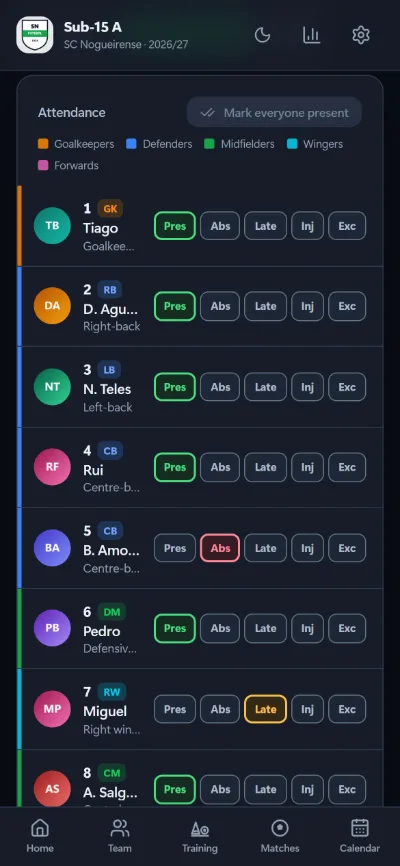
Sessions planned from the club's drill library, one-tap attendance and the session report.
Call-up, starting XI, tactics board, live logging minute by minute and match report. For academy teams, every player's minutes plan.
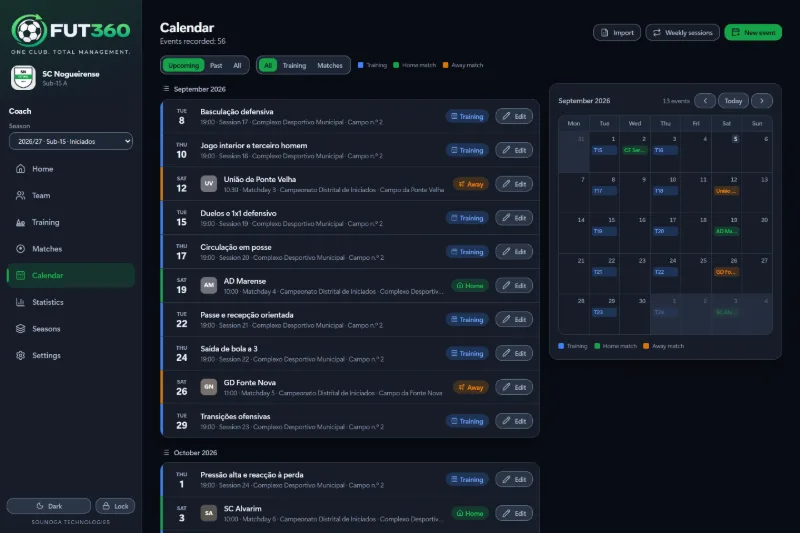
List and month side by side, weekly sessions generated for the whole season and the matchday for every game.
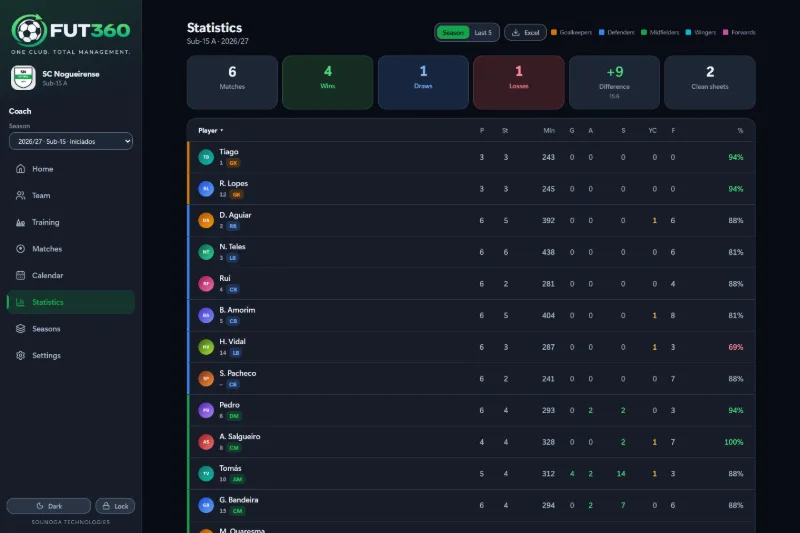
Minutes, goals, assists, shots, cards and attendance per player. Exports to Excel.
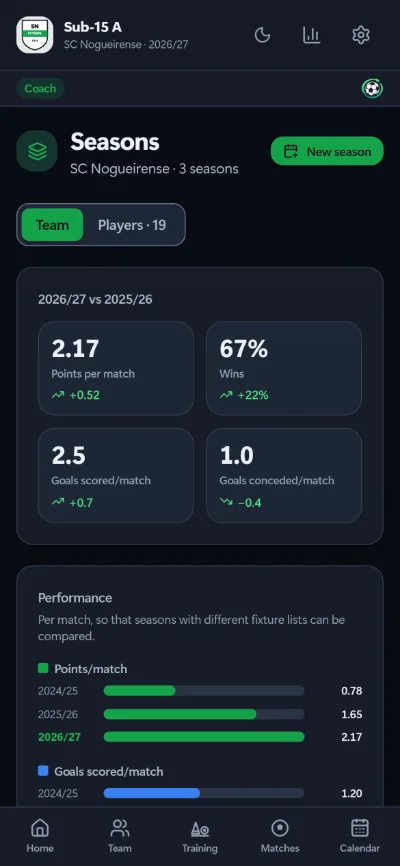
Season rollover on a single screen and season-on-season comparisons, always per game.
The player PDF, the match PDF and the player report for other coaches, shared by WhatsApp or email.
The coordinator organises teams, staff, players and guardians, and invites everyone by email.
The pitch calendar, booking requests with approval, and each pitch split into up to four parts.
Real-time channels for every team, with the staff and the families.
Players and their families see every season's record, the assessments and the coaches' comments, and only what's theirs.
The whole match kept in private storage and every player's moments taken from the match report. It works with any camera.
See inside
Every detail was decided with Saturday morning in mind: little time, plenty of rush and, quite often, no signal at all. Real screens from the app, with fictional demo data.
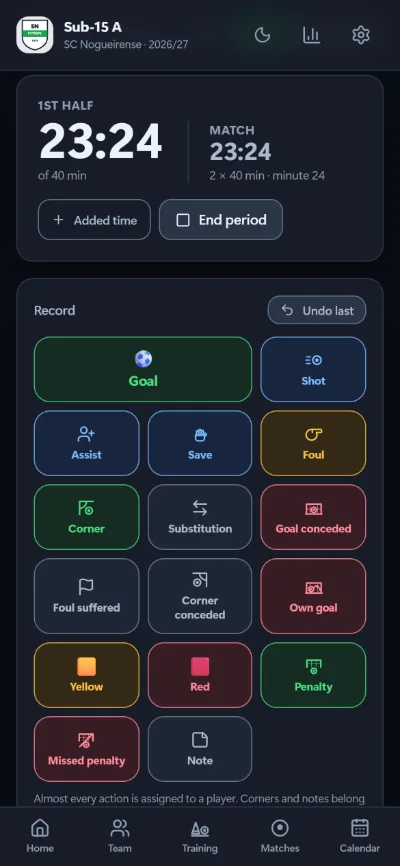
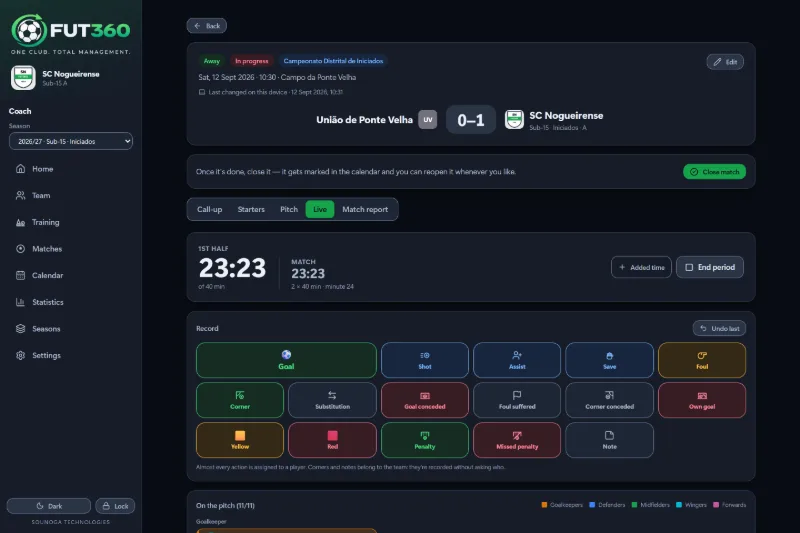
Matches · Live
A clock for each half and sixteen one-tap actions.
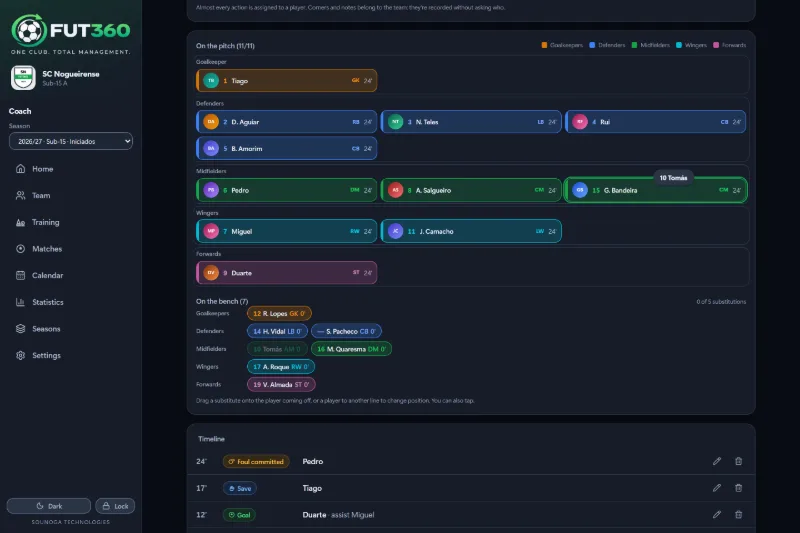
Everyone on the pitch sits in the line they're playing in right now, and changing the game is a drag: the substitute onto the player coming off, the midfielder onto the wingers' line. Everything goes on the timeline, at the minute and in the right position.
Matches · On the pitch
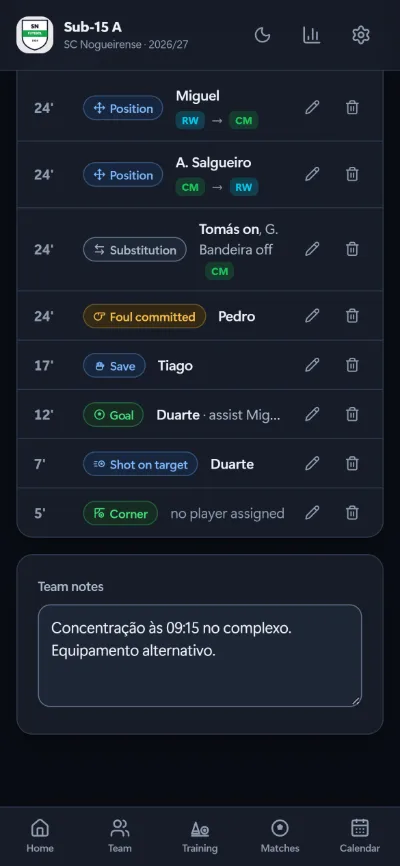
Substitutions and position changes with one gesture, logged to the minute.
The On the pitch tab shows the XI by line, with each player's position and minutes. The coach sees at once who is playing where, who has come off and who hasn't come on yet, and every change feeds the match report, the player profile and the player portal.
Matches · Tactics board
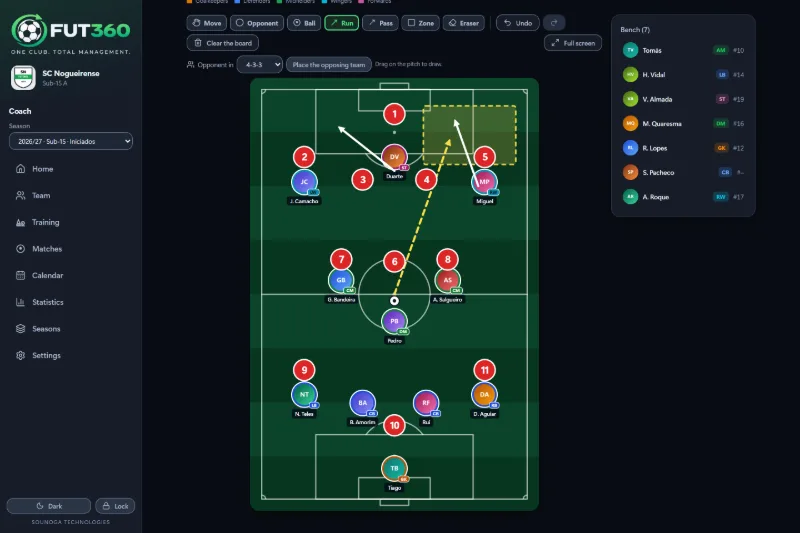
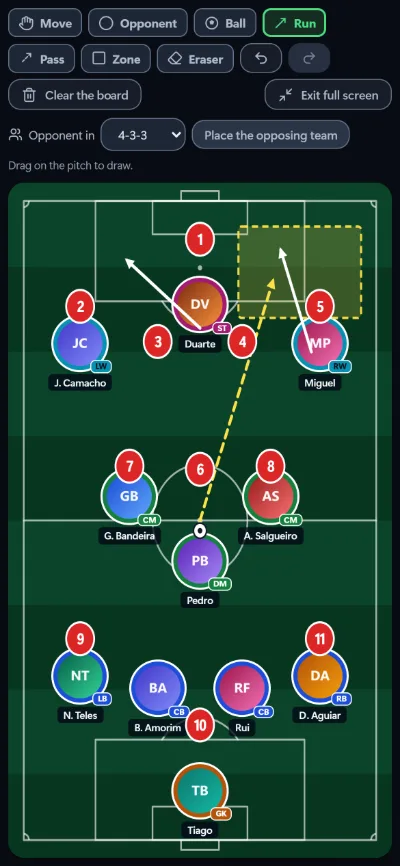
The starting XI drawn in its formation and, on top, a board to explain the game.
Opponents, the ball, run and pass arrows, zones. Full screen in the dressing room; when you're done, “Clear the board” removes the drawing and keeps your team. What you prepare on the PC shows up on the iPad.
Academy teams · Minutes plan
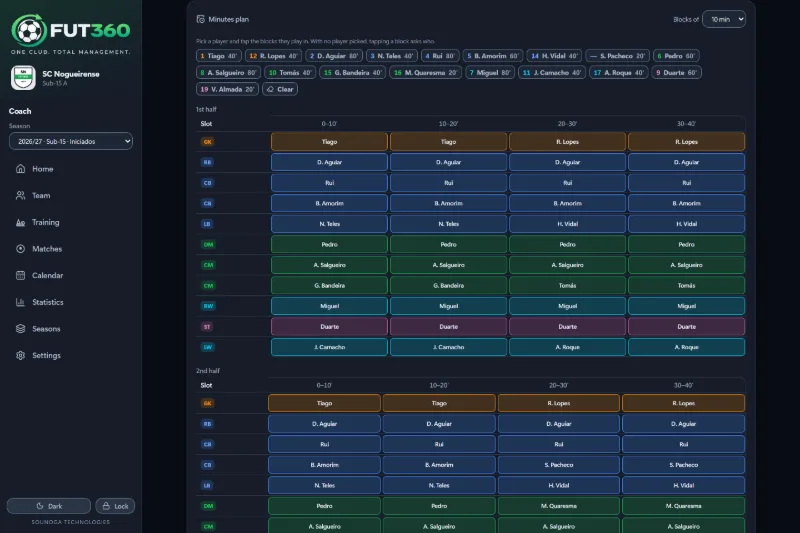
In youth football, what matters is teaching the game and helping every player grow.
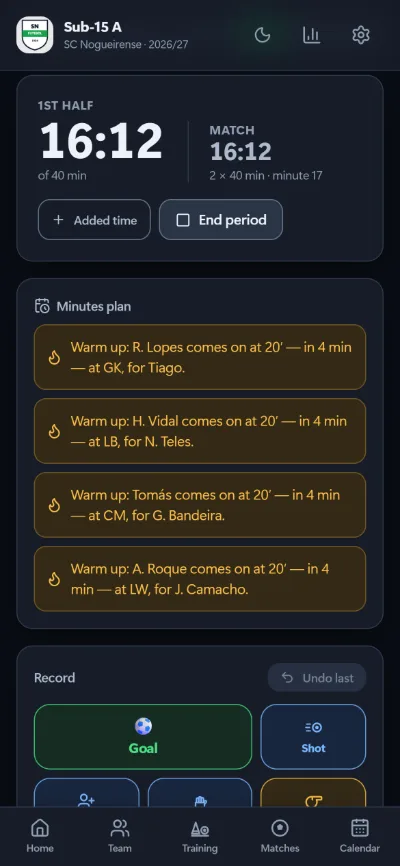
On an academy team, the Starters tab gets a minutes plan: who plays, when they come on and in which position, across both halves. During the match, the app reminds you five minutes ahead to send the player to warm up and, when it's time, makes the change in one tap.
Training
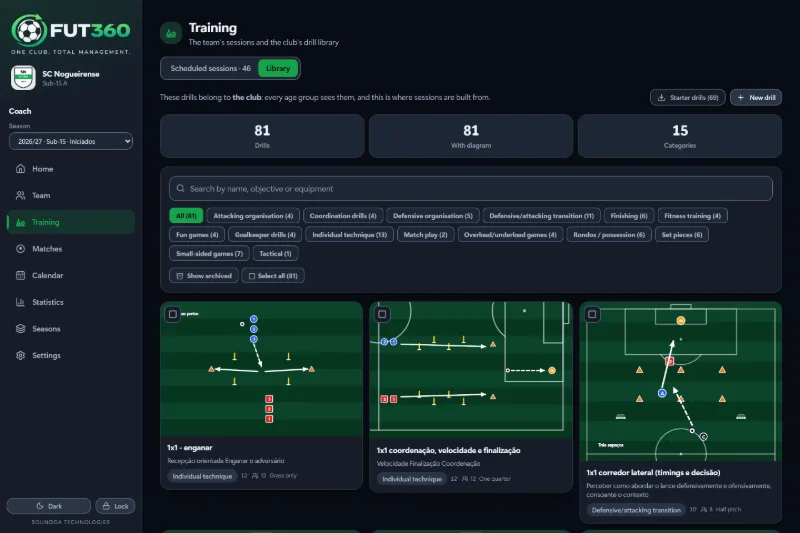
The drill library belongs to the club: drawn once, it serves every age group.
Sessions are built in phases with drills from the library, attendance takes one tap, and afterwards you write how it went. Microcycles and mesocycles keep the week's objective always in view.
Players
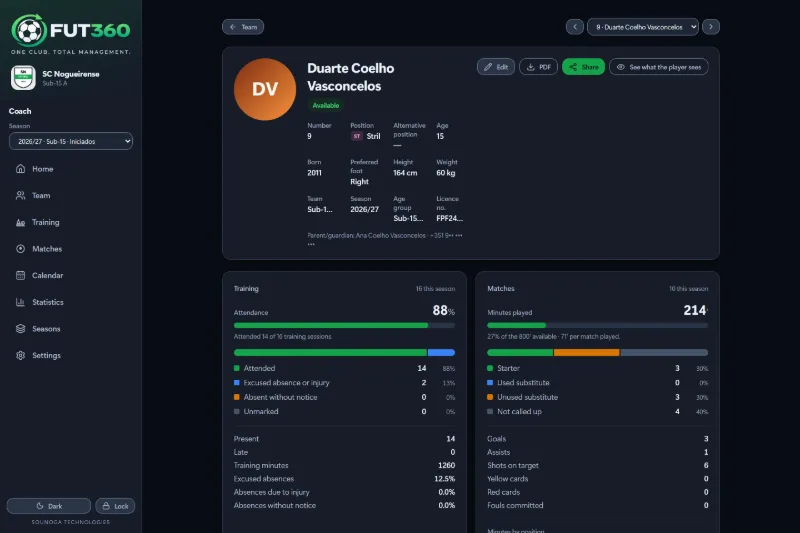
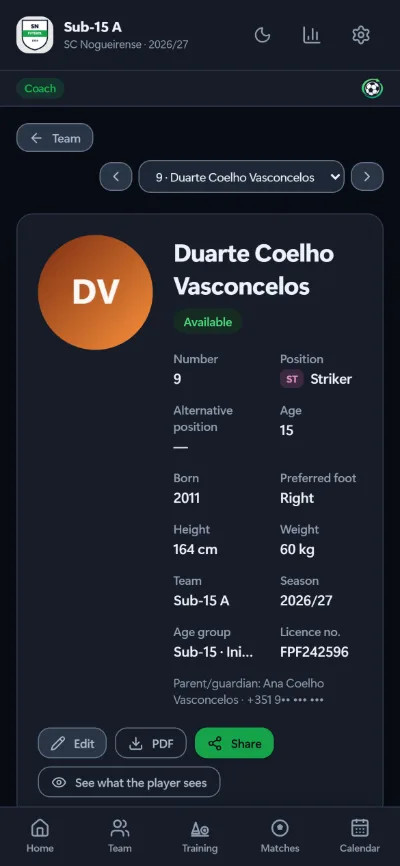
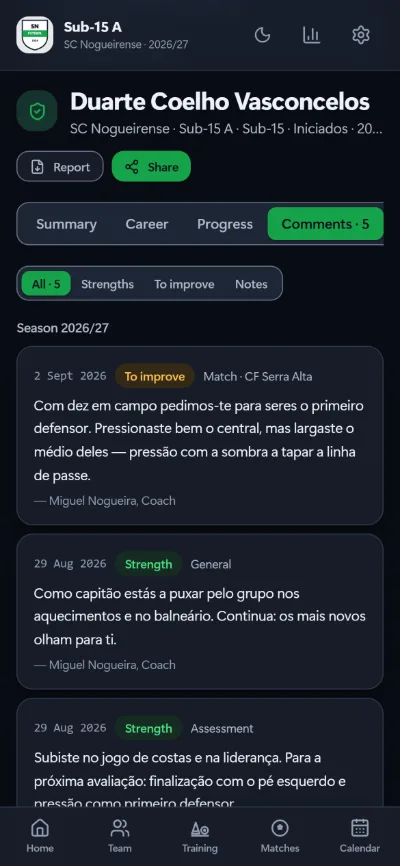
The profile brings together everything the app knows about the player.
Availability, attendance, minutes played against minutes possible, starts and substitute appearances, and the assessments across the season. The staff's comments are dated and can be shared in the portal or kept for the staff only.
Recordings and moments
With any camera and any recording system.
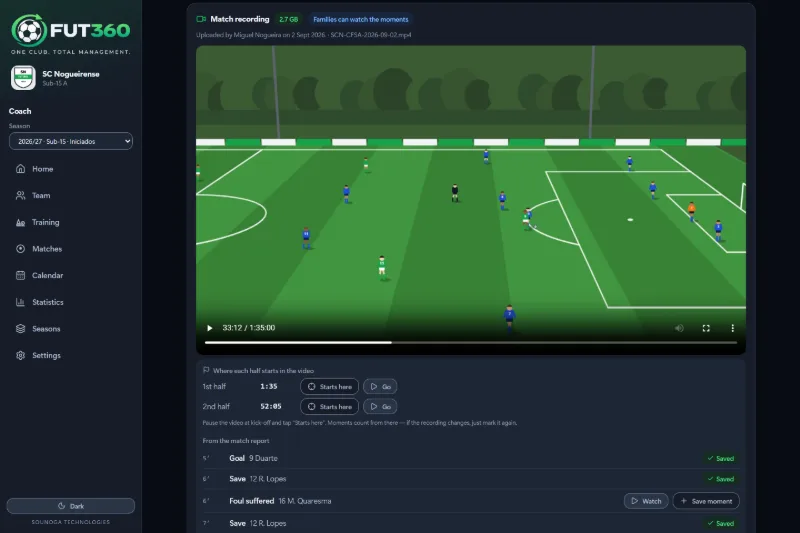
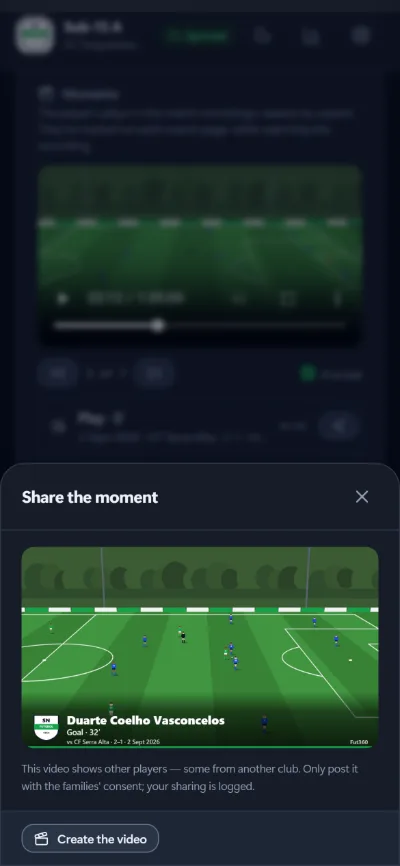
If the team records its matches, the video lives in the match itself, kept in private storage. The goals, shots and saves from the match report become moments, and every player gets their own list, match by match and season by season.
Player and family portal
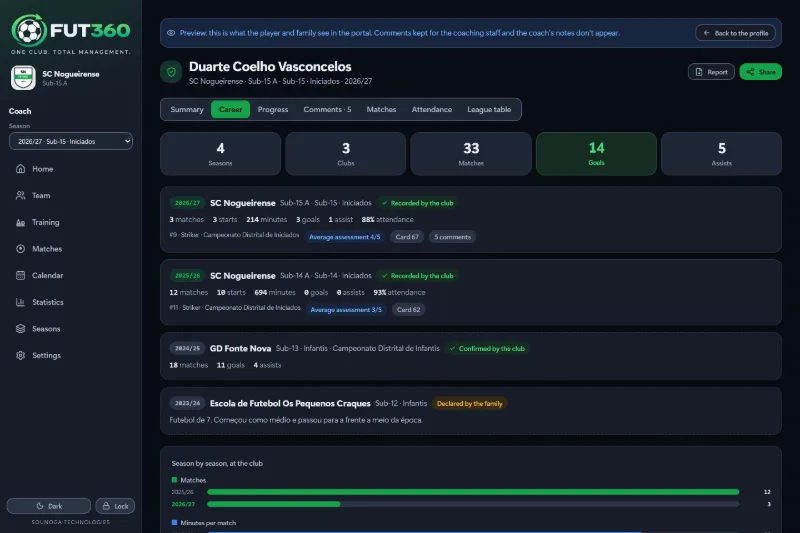
Just like career mode: every season with its numbers and how the player card has grown.
Players and families sign in with their own account and see what's theirs, and nothing else: the seasons at the club and at other clubs, the assessments, the comments the staff chose to share, the matches and the attendance. Staff notes never leave the staff.
Statistics and seasons
Per player and for the team, sorted from the goalkeeper forwards.
Colour helps you find what matters, and the word is always written next to it. Season rollover happens on a single screen, and season comparisons are always per game, never in totals.
Calendar
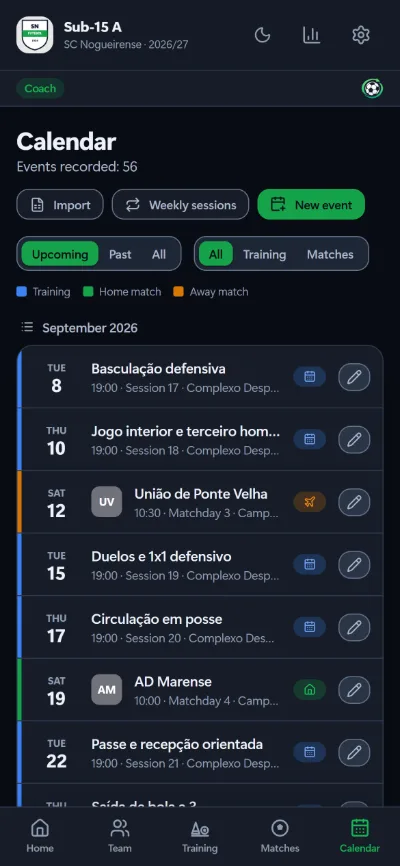
List and month side by side: one answers “what's next?”, the other “what does the week look like?”.
Training, home match and away match, each with its own colour and its own word. Weekly sessions are generated for the whole season, and the opponent's crest is added once and remembered for good.
One club, four audiences
Everyone signs in with their own account and finds their own work: the server decides what each person can see and change.
They run the club: teams, staff, players and guardians. They approve pitch bookings and open the new season.
They plan the week, run the match and follow every player, on the iPad, even offline.
From age 13, with their own account: every season's record, the coaches' comments and the report to show other coaches.
Guardians sign in with their own account and see their own child, and only theirs. They declare seasons at other clubs and, if the club allows it, they also see their child's moments.
Security and privacy
An app that holds data about young players has to be secure by design, not as an option.
Everything is saved on the device first. A whole match without a connection doesn't lose a single entry; when the signal comes back, syncing happens on its own, and it can be forced at any time.
iPad, iPhone, Android, PC and Mac, in the browser. It installs on the home screen like an app, without going through any app store.
English, Portuguese, Spanish and French. Everyone uses the app in their own language, including the PDF reports, the messages and the email invitation.
Your club's colours become the app's accent: buttons, tabs, charts. Light and dark themes following the device, and colour always alongside the word, with contrast measured.
A complete backup, photos included, in a single file. Squad and fixtures imported from Excel or CSV. Changing plans leaves everything that's already there untouched.
One-handed interactions, sixteen one-tap actions and screens you can read in the sun. Designed and tested with the coaches and players of our own structure.

Who makes Fut360
Fut360 is a Mentoportuna product, with the support of SouNoga Technologies. It is designed, built and operated by our team, and tested every day by the coaches, players, doctors, physiotherapists, analysts and scouts of our own structure. It's the same engineering, the same cloud and the same care with data that we put into every project for our clients.